
Djanogly
City Academy
Curriculum
SENECA Learning
How to join Seneca Learning
- Click on the Seneca logo

- In the top right of the screen, select Sign Up

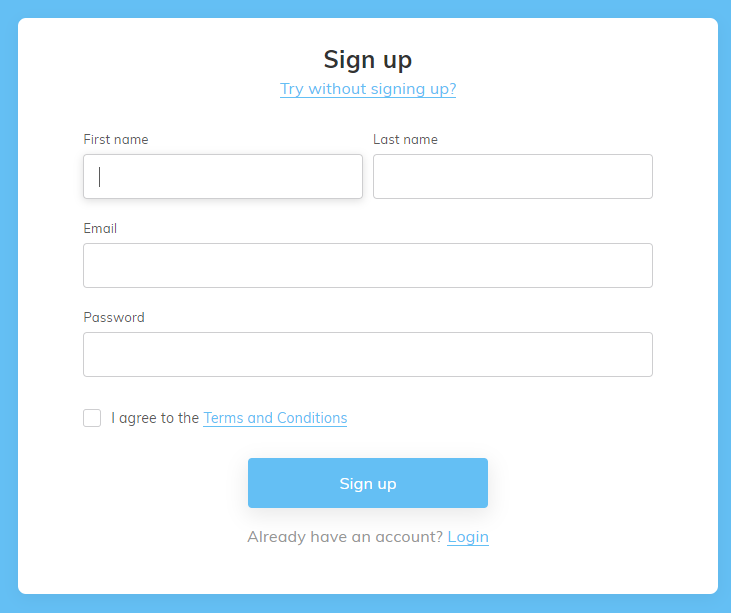
- Create your account. Once you press sign up, select the option that says you are a student, then type in Djanogly City Academy for the school name, and your parents email address to verify your account.
How to join a class
- Log into Seneca using the username and password you have created.
- At the top of the screen, select Classes and assignments

- Click on join class, either at the top right of the screen, or in the middle of the screen
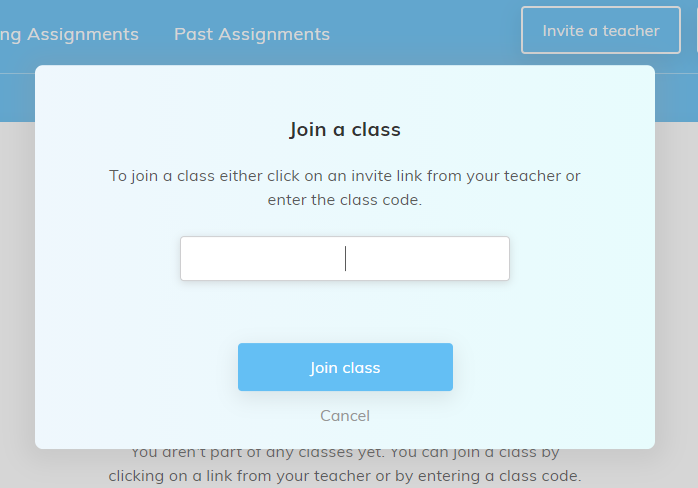
- Type the class code from your teacher, or, if your teacher sent you a link, then open the link provided.
 Visit our Trust website
Our Family of Schools
-

Castle View Primary School
-

Chellaston Academy
-

City of Derby Academy
-

Djanogly City Academy
-

Djanogly Northgate Academy
-

Djanogly Sherwood Academy
-

Djanogly Strelley Academy
-

Kensington Junior Academy
-

Hilltop Primary Academy and Nursery
-

Laceyfields Academy
-

Langley Mill Academy
-

Morton Primary Academy
-

QEGS Ashbourne
-

Springfield Academy
-

Springfield Junior School